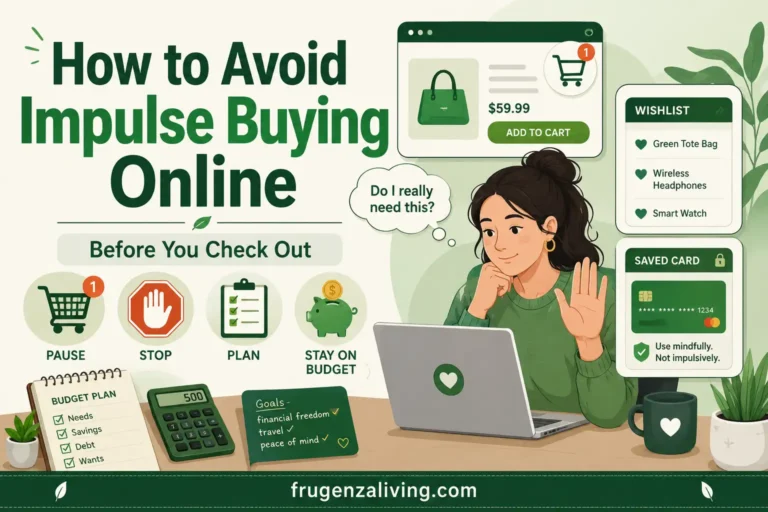
A discount, saved card, or small installment can make a purchase easy to approve without making it useful or affordable. This guide gives you a decision process for that moment, including a tool for checking whether adding items for free shipping changes what you actually pay.
At checkout right now? Save the item’s name and price in a separate note. Close the store. Before returning, check its purpose, delivered price, and effect on upcoming payments.
Decide Whether the Purchase Has a Job
Ask what would be different next week if you did not buy the item. A worn-out work bag creates a practical problem. Another bag that appeared in a sale email may simply offer novelty. Both can be wanted, but they deserve different decisions.
Write one sentence: “I will use this for ______, and what I already own cannot reasonably do that because ______.” For a discretionary treat, say so and check whether it fits your planned spending. You do not need to invent an essential need to justify every enjoyable purchase.
Check for duplicates before shopping. For clothing, use the more detailed guide to avoiding clothes purchases that do not solve a wardrobe problem.
If the original basket is unnecessary, buying nothing is the relevant comparison. A cheaper version of an unwanted order still costs more than placing no order.
Check what the item needs before it can do its job. A gadget may require an adapter, replacement supplies, or a paid subscription. Include those foreseeable costs in your decision instead of approving the sticker price and discovering a second shopping list afterward.
Put One Barrier Where Your Shopping Starts
Change the route that actually leads to your purchases. Apps and browsers can both offer personalized products, saved payments, and rapid checkout. Neither is automatically the safer route for everyone.
- Retail notifications: Disable promotional alerts while keeping order, payment, and security messages available.
- Habitual app opening: Move the app off your home screen, log out, or try removing it temporarily.
- Sale emails: Unsubscribe from promotions or separate them from messages you need to read.
- One-click checkout: Disable the shortcut or remove saved retailer payment details if that creates a useful pause.
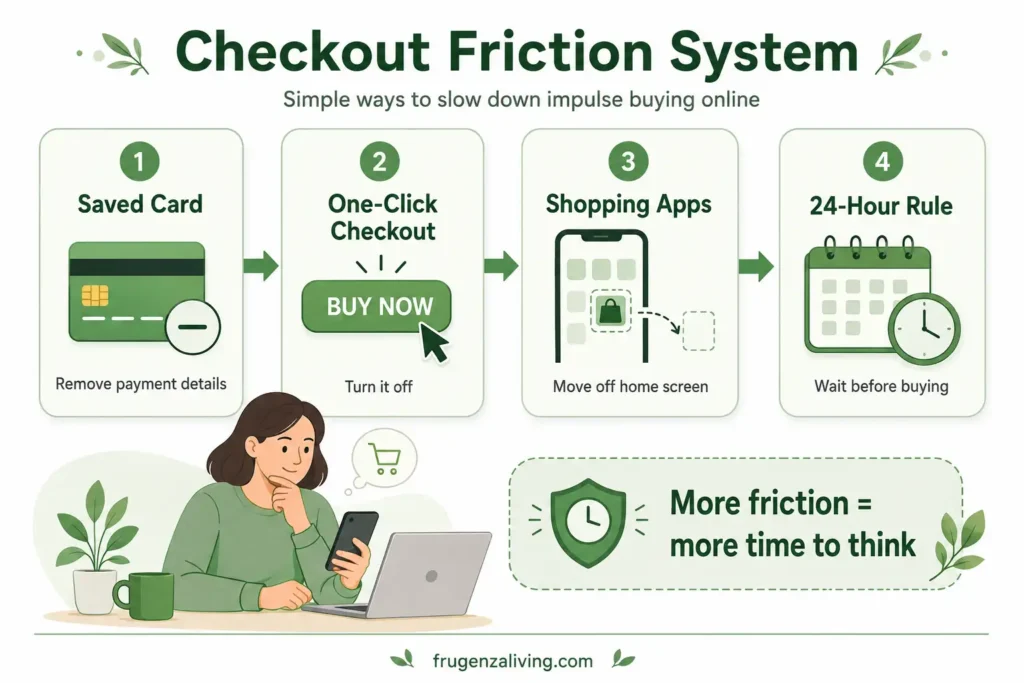
Try one change first. A barrier is useful when it interrupts an unwanted purchase without making essential orders impractical. If you bypass it repeatedly, move the pause earlier—for example, before opening the store.
Use a Waiting List Outside the Shopping Cart
A retailer’s cart can bring you back through reminders, price alerts, and checkout prompts. Instead, save the product name, link, current delivered price, intended use, and a review date in your own note.
For an optional, unplanned purchase, try reviewing it the next day. Allow more time for an expensive decision or one that needs comparison shopping. These are adjustable rules, not universal waiting periods or proof that the urge will disappear.
At review time, ask whether the original reason still makes sense, whether a suitable alternative exists, and whether the purchase fits your available money. Do not apply a shopping delay to urgent health needs or essential replacements whose delay would create a real problem.
Keep wanted items away from checkout until the review. Saving an item does not commit you to buying it, and deciding to buy after checking the facts is a valid outcome.
Give each saved item one outcome at review: buy because its purpose and cost fit, postpone because information is missing, or remove it because the reason no longer holds. An endlessly growing wish list can become a queue of future purchases rather than a decision aid.
Check the Full Cost of “Free Shipping”
Compare two final checkout totals: your original basket delivered, and the expanded basket delivered. Include shipping, taxes, mandatory fees, and discounts in each. Use the same currency and delivery option; exclude optional extras you do not want.
| Basket | Items | Shipping | Total |
|---|---|---|---|
| Original planned order | $42 | $8 | $50 |
| Add $12 to qualify | $54 | $0 | $54: $4 more |
| Add $3 to qualify | $45 | $0 | $45: $5 less |
The second option costs more despite removing shipping. The third costs less in this example. Check the actual checkout because tax or coupon conditions can change that result. Consider whether extra items are useful, create storage or return work, or push the order beyond your budget.
For example, with $45 available, the $50 original order exceeds the boundary by $5, while the $45 expanded order fits it. That answers the price question only; you still need to decide whether the purchase has a worthwhile purpose.
Cart Total Comparison
Enter both final delivered totals. This compares cash outlay; it does not decide whether you need the original order.
Manual check: Expanded total minus original total. A positive result means spending more; a negative result means a lower checkout total. Neither proves the order is necessary.
Calculate available money after upcoming bills, essential purchases, and existing commitments—not from your account balance alone. For help setting that boundary, use this guide to planning limits for everyday spending.
Make the Sale Pass the Same Test as a Regular Purchase
A product does not need to be worth its original full price to be useful at a discount. The better questions are whether you wanted its function before the offer, whether the current delivered price is competitive, and whether you can afford it.
Search for the exact model, size, or quantity at another seller. Compare delivery dates and return terms too. Skip coupon hunting if it keeps sending you back to products you did not intend to buy.
The FTC’s report on online dark patterns describes misleading countdowns and hidden charges. That does not make every sale fake; it means a timer is insufficient evidence that buying now is your best choice.
If you cannot identify the item’s value beyond the promotion, apply the same filter you use for reducing spending that adds little value.
Read BNPL as a Payment Schedule
Four $30 payments still commit you to $120, before any applicable fees or interest. Provider terms vary. Before accepting buy now, pay later, record every due date and combine those payments with installments you already owe.
Suppose two existing orders require $25 and $20 on the same date. A new $30 installment brings that date’s total to $75. Check that amount against income and essential payments around that date, rather than judging the new order by $30 alone.
If you cannot map the payments, pause the optional order. Approval by a provider does not establish affordability. Check fees and repayment terms, and do not assume a return automatically stops upcoming payments.
If You Already Ordered, Check What Is Still Reversible
First check whether cancellation is still possible. If the order has shipped, find the return deadline, eligibility conditions, return shipping cost, and any deduction from the refund. Save confirmation of your request.
A refund is not always the full checkout amount. If a $40 item produces a $34 refund after a $6 return deduction, $6 of the item cost remains; any nonrefunded outbound shipping is additional. Judge the remaining cost against the item’s actual usefulness.
For an installment purchase, check the merchant’s and provider’s instructions and confirm the repayment schedule after any refund. Avoid treating a pending refund as money already available to spend.
Then change the route that caused this order. Cancellation can recover money; it does not prevent the next sale email from starting the same sequence.
Test One Change for a Week
Record each unplanned order and each purchase you paused: its trigger, delivered total, decision, and later outcome. Include whether you bought a substitute or returned to the saved item.
Count completed purchases using actual amounts and track confirmed refunds separately. Do not call every abandoned cart “savings.” Compare similar periods and account for orders merely shifted into the next week.
For scale, three $18 orders each week total $54 weekly or $2,808 over 52 weeks. The monthly average is $234 across twelve months; $216 covers four weeks. These are illustrative spending totals, not guaranteed savings from this method.
At review time, keep the change that interrupted unwanted orders. If the pattern also appears offline, use a broader plan for changing repeated spending habits.
Write the next adjustment precisely: “I bought after the sale email, so next week I will unsubscribe from that store’s promotions.” This is more actionable than “be careful.” Keep your review short enough to repeat, and change the barrier that failed rather than adding several new rules at once.
Quick Answers
Should I delete every shopping app?
No. Start with the app that repeatedly leads to unwanted orders. Try disabling promotions, logging out, or removing it temporarily. Keep a workable route for purchases you genuinely need.
Does waiting 24 hours guarantee I will spend less?
No. It creates a chance to reassess. If you buy every saved item the next day, your spending may remain unchanged. Check subsequent orders as well as the initial pause.
What if a genuine deal ends before my review?
Check purpose, delivered cost, available money, and alternatives before deciding. A planned purchase can justify timely action. An unplanned optional purchase does not become necessary because its discount expires.
Start With Your Next Checkout
Save the item outside the store, name its purpose, and check the complete payment commitment. Buy when it serves your plan; pause when the facts are incomplete. Review what happened so your next decision uses evidence from your own shopping.

Read about Jeffi and Frugenza Living
- Proportional Bill Split Calculator for Two Incomes - October 15, 2026
- How to Split Grocery Bills With Roommates - October 14, 2026
- First Apartment Kitchen Essentials on a Budget - October 13, 2026