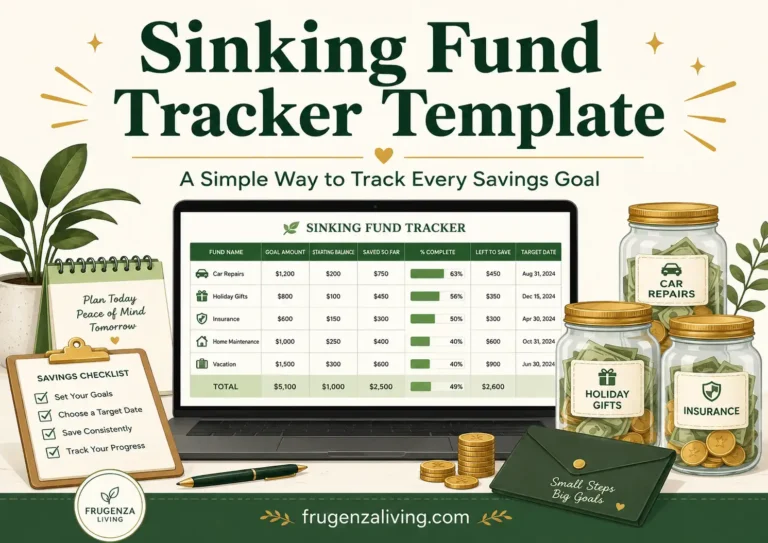
A sinking fund can make budgeting easier, but only if you know exactly where your money is going.
Maybe you are saving for car repairs, holiday gifts, annual insurance, medical bills, home maintenance, and pet care.
At first, everything feels organized. Then a few payday transfers, withdrawals, and balance changes happen, and suddenly you are not sure how much each fund actually has.
That is where a sinking fund tracker template becomes useful.
A good tracker does more than list savings goals. It helps you see what each dollar is for, how much you have saved, what changed recently, and what to do next.
Editor’s note: This article is for general budgeting education only. It is not personalized financial, tax, banking, debt, or investment advice. Use the examples as a starting point and adjust based on your income, savings goals, household needs, and financial priorities.
Free Sinking Fund Tracker Template Preview
Print the Sinking Fund Tracker Template
Use the button below to print a simple sinking fund tracker directly from this page. No download or extra file is needed.
Tip: Choose “Save as PDF” in your print window if you want to keep a digital copy.
Sinking Fund Tracker Template
frugenzaliving.com
Month: __________________________
Main savings goal: __________________________
Budget note: ________________________________________________
Savings Goal Tracker
| Fund Name | Goal Amount | Due Date | Saved | Remaining | Monthly Target | Status |
|---|---|---|---|---|---|---|
| Car Repairs | $800 | Flexible | $350 | $450 | $75 | On Track |
| Holiday Gifts | $600 | December | $240 | $360 | $60 | Needs Update |
| Annual Insurance | $1,200 | October | $700 | $500 | $100 | On Track |
Transaction Log
| Date | Fund | Deposit | Withdrawal | Note |
|---|---|---|---|---|
| Jan 5 | Car Repairs | +$75 | — | Payday transfer |
| Jan 18 | Car Repairs | — | -$120 | Tire repair |
Update this tracker after every payday transfer, withdrawal, or balance change. If the balance changes, write down why it changed.
This guide includes a copyable sinking fund tracker layout you can recreate in Google Sheets, Excel, a printable page, or your budget planner.
A tracker is easier to use when you already understand the sinking fund basics and why each fund needs a clear goal.
What Is a Sinking Fund Tracker Template?
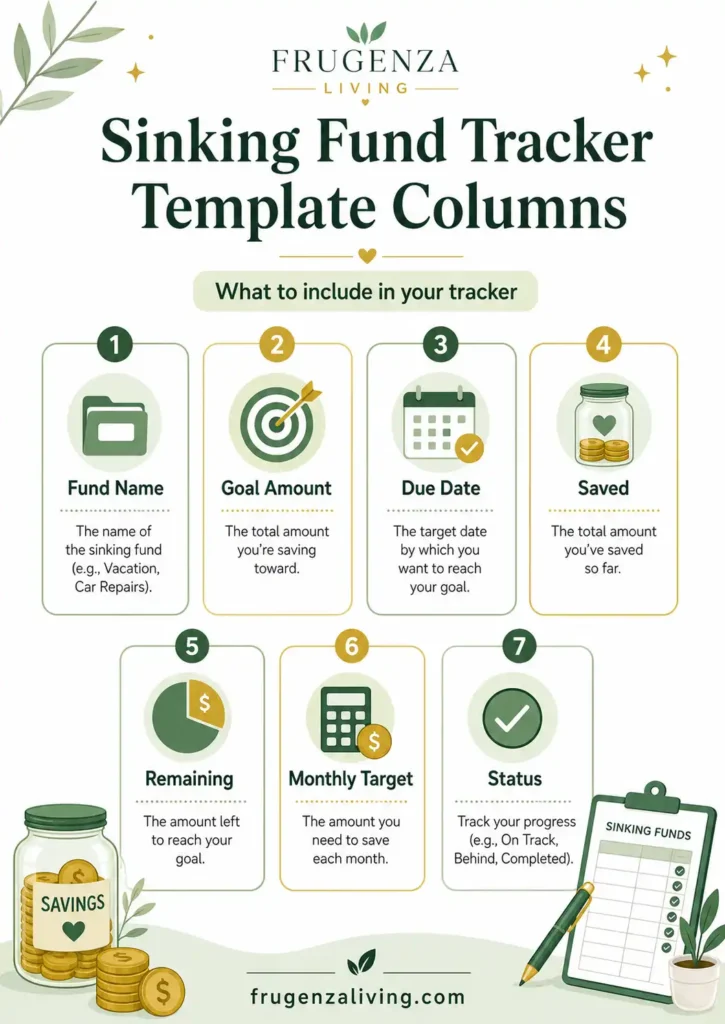
A sinking fund tracker template is a simple tool for monitoring planned savings goals.
It can be a Google Sheet, Excel spreadsheet, printable PDF, budget binder page, digital note, or a basic table in your notebook. The format matters less than the clarity it gives you.
A tracker helps you monitor fund names, target amounts, due dates, deposits, withdrawals, current balances, and progress toward each goal.
Instead of seeing one savings account with $1,200 and guessing what it means, your tracker might show car repairs, holiday gifts, annual insurance, and pet care as separate balances. That is the difference between “I have savings” and “I know what my savings are for.”
Before filling out the tracker, choose from a sinking fund categories so you only track expenses that actually matter.
Why a Tracker Matters More Than the Template Style
Many people spend too much time choosing between a printable sinking fund tracker, Google Sheets template, Excel tracker, or budget planner page.
The real question is:
Can your tracker prevent confusion?
A sinking fund tracker is not just a list of goals. It is a control panel for money that already has a job.
A good tracker helps you avoid spending car repair money on holiday gifts, forgetting how much you saved, losing track of withdrawals, saving too little before the deadline, and mixing emergency savings with planned expenses.
If a template looks beautiful but does not help you understand your balance, it is not useful enough.
To keep the template simple, first choose the right number of sinking funds for your income and current expenses.
The 4-Column Clarity Method
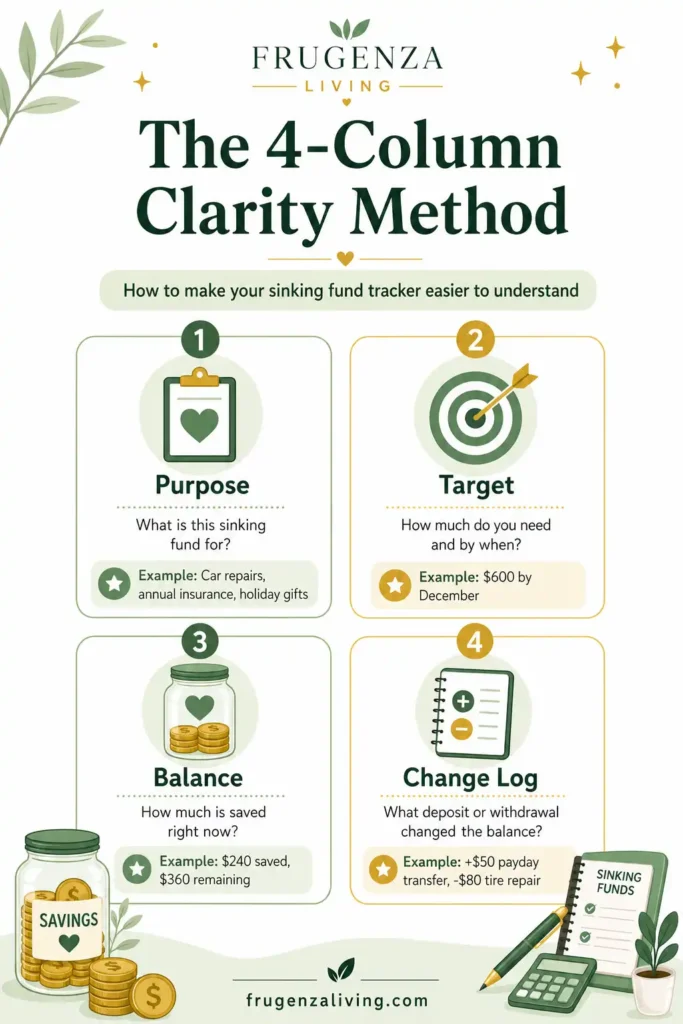
A sinking fund tracker does not need to be complicated. It needs to make the most important information easy to see.
Use the 4-Column Clarity Method.
A good tracker should answer:
- What is this money for?
- How much do I need?
- How much do I have now?
- What changed recently?
This method keeps the tracker focused on clarity, not decoration.
What Should a Sinking Fund Tracker Include?
A strong sinking fund tracker template should include enough detail to explain your money without making the system hard to update.
Useful columns include:
- Fund name
- Goal amount
- Due date or target month
- Starting balance
- Planned monthly contribution
- Deposit date
- Deposit amount
- Withdrawal amount
- Reason or note
- Current balance
- Remaining amount
- Status or next action
At minimum, use fund name, goal amount, current balance, and notes for deposits or withdrawals.
The best sinking fund spreadsheet template is not always the most detailed one. It is the one you will actually update.
Once you add School Expenses to your tracker, create a back-to-school savings goal with a target amount and deadline so you know exactly how much needs to be funded.
Simple Formulas for a Sinking Fund Spreadsheet
If you use Google Sheets or Excel, formulas can make your sinking fund tracker easier to maintain.
Use these simple formulas:
- Current Balance = Starting Balance + Total Deposits − Total Withdrawals
- Remaining Amount = Goal Amount − Current Balance
- Monthly Target = Remaining Amount ÷ Months Left
- Progress % = Current Balance ÷ Goal Amount
Here is a simple spreadsheet-ready example.
If your Goal Amount is in column B, Saved is in column D, and Months Left is in column F:
- Remaining:
=B2-D2 - Progress:
=D2/B2 - Monthly Target:
=(B2-D2)/F2
For example, if your annual insurance goal is $1,200 and you already saved $700, your remaining amount is $500. If you have five months left, your monthly target is $100.
You do not need advanced formulas to start. A simple sinking fund tracker with balance, deposits, withdrawals, and remaining amount is enough for most beginners.
Google Sheets, Excel, Printable, or Simple Table?
There is no single best format for every person.
Choose Google Sheets if you want formulas, cloud access, and the ability to update from multiple devices. It is helpful if you like automatic totals.
Choose Excel if you prefer offline files, more control, or already manage your budget on a computer.
Choose a printable sinking fund tracker if writing by hand keeps you motivated. Printable trackers are useful for budget binders and visual progress, but they do not calculate balances automatically.
Choose a simple table if you only have a few funds and do not want another complicated system.
The format matters less than consistency. A simple tracker updated every payday is better than a beautiful spreadsheet you forget to use.
The No-Mystery Balance Rule
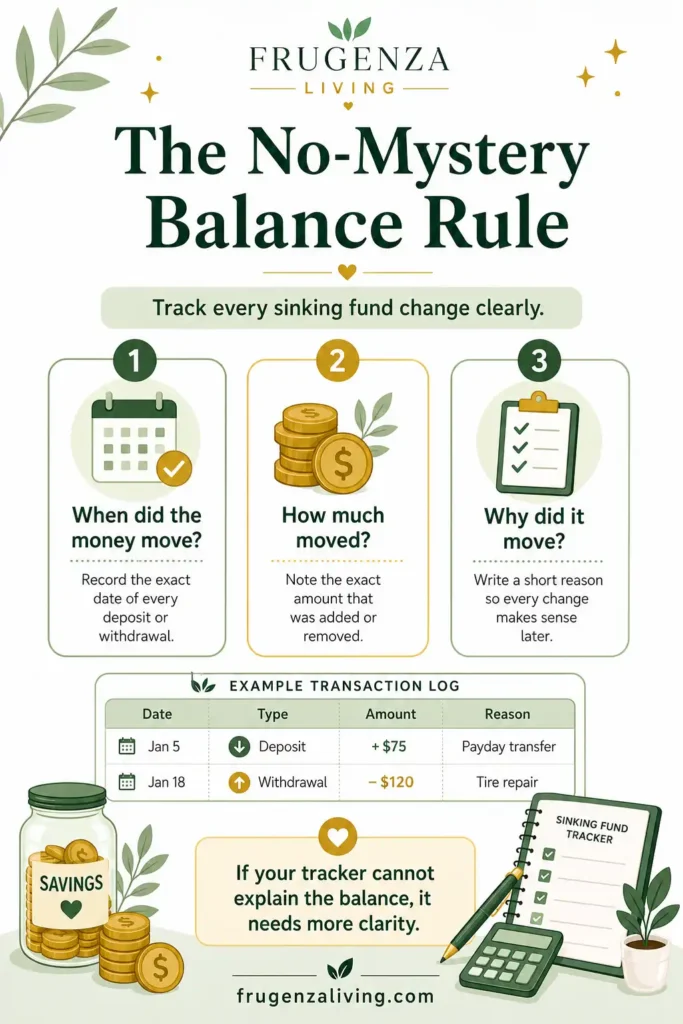
If your tracker only shows the final balance but not the reason behind changes, it will eventually become confusing.
Use the No-Mystery Balance Rule:
Every change should answer three questions:
- When did the money move?
- How much moved?
- Why did it move?
This is especially important if you use one savings account for multiple sinking funds.
For example, you may have one savings account with $2,000. But inside your tracker, that $2,000 may be divided between car repairs, holidays, annual bills, pet care, and home maintenance.
If you withdraw $150, your tracker should show which fund it came from and why.
Sinking Fund Transaction Log Example
A transaction log keeps your sinking fund tracker honest. It explains every deposit and withdrawal so your balance does not become a mystery later.
This small log is often what separates a useful tracker from a confusing one.
How Often Should You Update a Sinking Fund Tracker?
A sinking fund tracker should stay close to your real money movement.
Update it:
- After each payday transfer
- After any withdrawal
- Before your monthly budget reset
- Before major annual or seasonal expenses
- When adding or removing a fund
Do not wait until the end of the year to clean it up. By then, it may be hard to remember why balances changed.
A good rhythm is to update your sinking fund tracker on payday. Transfer the money, record the deposit, check the balance, and decide the next action.
Common Mistakes to Avoid
Avoid these mistakes:
Tracking goals but not withdrawals. Deposits matter, but withdrawals explain why the balance changed.
Using one savings balance with no labels. One account can work, but you still need clear categories.
Making too many categories. If your tracker has too many funds, it becomes harder to maintain.
Forgetting due dates. A fund with a deadline needs a target month or due date.
Choosing a complicated template you stop using. A tracker that feels too difficult will not help for long.
Treating emergency savings like a sinking fund. Emergency savings should stay separate from planned expenses.
The goal is not to track everything perfectly. The goal is to make your planned savings clear enough to use.
When Your Tracker Is Not Working
Sinking Fund Tracker Quality Check
Use this quick check to see whether your sinking fund tracker is actually helping you manage your money clearly.
Each fund has a specific purpose, such as car repairs, annual insurance, or holiday gifts.
The tracker shows how much is saved right now, not just the original savings goal.
Every money movement has a short note, so the balance does not become confusing later.
You know whether to keep saving, pause, rebuild, withdraw, or adjust the target.
If your tracker cannot explain the balance, it needs fewer columns, clearer labels, or a better transaction log.
Your tracker may need a reset if the savings balance does not match your tracker, withdrawals are missing, you no longer know which fund money belongs to, or every update feels exhausting.
A good tracker should make decisions easier. If it creates more confusion, simplify the columns, reduce the number of funds, and keep only the information you actually use.
Where This Fits in Your Bigger Budget
A sinking fund tracker helps you monitor progress. It does not replace your full budget.
If you need the full setup process, use a sinking funds for beginners guide. If you are not sure how many funds to track, read how many sinking funds should I have. If you are unsure whether an expense belongs in a sinking fund or emergency fund, compare sinking fund vs emergency fund. If you budget by paycheck, connect your tracker to a paycheck budget template so the transfers feel realistic.
Final Thoughts
A sinking fund tracker template should make your money easier to understand, not harder to manage.
The best tracker shows purpose, target, balance, and recent changes. Whether you use Google Sheets, Excel, printable pages, or a simple table, the goal is clarity.
If your tracker helps you know what each dollar is for, when the money moved, and what to do next, it is doing its job.
Start simple. Track every deposit and withdrawal. Keep the balance clear enough that your sinking funds reduce stress instead of creating more budgeting work.
FAQ
What is a sinking fund tracker template?
A sinking fund tracker template is a tool for monitoring planned savings goals. It helps track fund names, target amounts, deposits, withdrawals, due dates, and current balances.
What should a sinking fund tracker include?
A sinking fund tracker should include the fund name, goal amount, due date, planned contribution, deposits, withdrawals, notes, and current balance.
Can I use Google Sheets for a sinking fund tracker?
Yes. Google Sheets works well for a sinking fund tracker because it can use formulas, automatic totals, and cloud access across devices.
Is a printable sinking fund tracker enough?
Yes, a printable sinking fund tracker can be enough if you update it consistently. It works best for people who like writing by hand or using a budget binder.
How often should I update my sinking fund tracker?
Update your sinking fund tracker after each payday transfer, after withdrawals, before monthly budget resets, and before major annual or seasonal expenses.
Can I track multiple sinking funds in one savings account?
Yes. You can use one savings account for multiple sinking funds, but your tracker should clearly label how much money belongs to each fund.

The ideas shared here come from real-life experience and practical habits that actually work.
→ Read more about Jeffi
- No Spend Month Challenge for Beginners: A 30-Day Plan - September 24, 2026
- Low Buy Month Challenge: Realistic Rules for 30 Days - September 23, 2026
- How to Stop Buying Groceries You Already Have - September 20, 2026