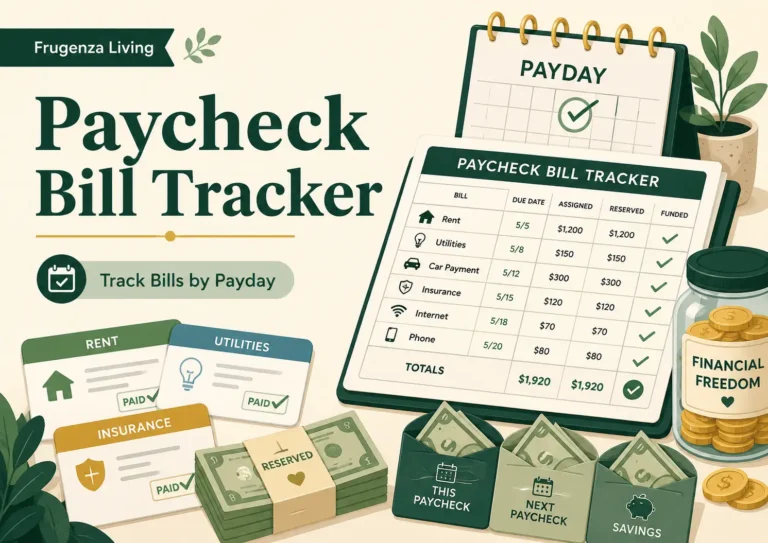
You can write rent, phone, electricity, and internet under the same payday and still have a paycheck plan that is not truly funded.
A paycheck bill tracker should show what bill amounts were assigned to one paycheck, how much of each assignment has actually been reserved, and what is still missing before the next payday.
The distinction is simple:
Assigned does not mean reserved.
If a $70 phone bill is assigned to this paycheck but only $40 has been protected, the tracker should show a $30 funding gap—not make the bill look finished because it appears on a list.
This page focuses only on bill funding. It is not a full paycheck budget, monthly bill calendar, or payment-confirmation checklist.
Assigned Money Is Not the Same as Reserved Money
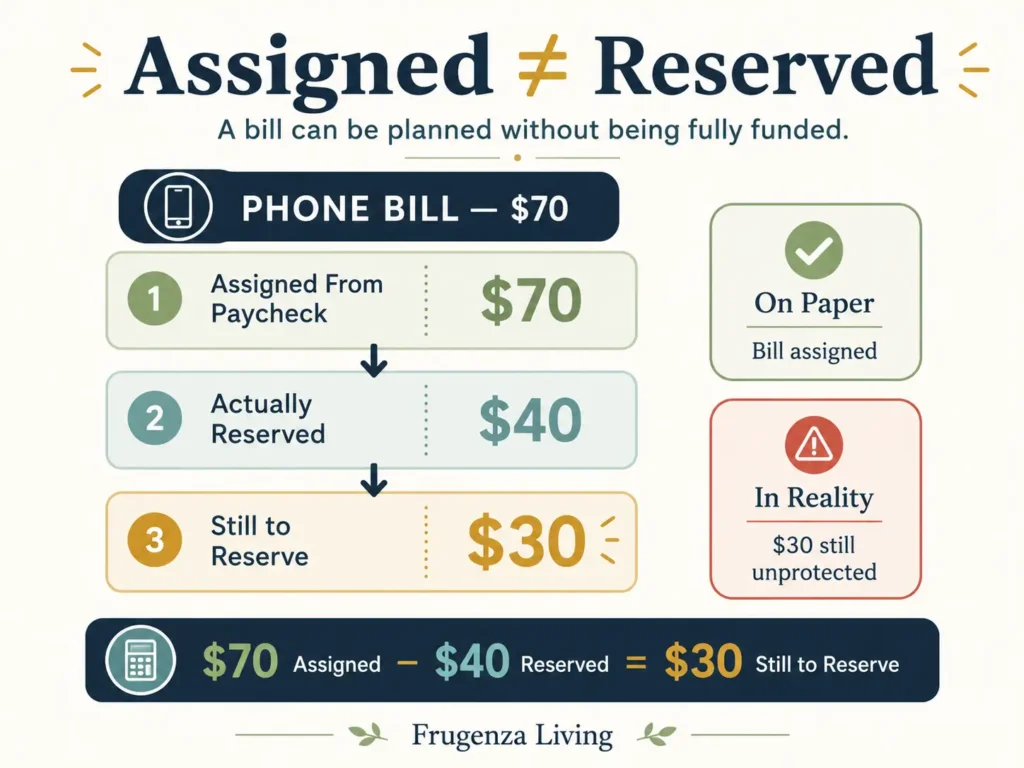
An assignment is a decision. A reservation is an action.
Writing “Phone — $70” under a paycheck means this payday is supposed to fund $70. It does not prove that the money is protected from ordinary spending.
For this tracker, reserved means you have a concrete way to treat the money as unavailable for everyday use—for example, a bills account, a dedicated budget category, an envelope, or another clearly tracked protected balance.
Use:
Still to reserve = max(0, assigned amount − reserved amount)
For the $70 phone bill:
- Assigned: $70
- Reserved: $40
- Still to reserve: $30
- Status: Partially Reserved
If nothing has been reserved, the status is Not Started. If the full assignment has been protected, the status becomes Funding Complete for This Paycheck.
If the reserved amount exceeds the assignment, the tracker should not silently count the extra money elsewhere. It should flag the row for review.
Use the Free Paycheck Bill Tracker
Enter one paycheck date, add only the bills or bill portions already assigned to that payday, then compare what should be reserved with what is actually protected.
A funding deadline is the earliest date when the bill money must already be protected and should no longer be treated as spendable—for example, when you initiate a manual payment or expect an automatic debit.
You can update the tracker on the page and print the completed paycheck record when you want a paper copy.
Paycheck Bill Funding Tracker
Confirm that bill portions assigned to one paycheck are actually protected.
Add your paycheck date and bill assignments, then update the tracker.
Funding complete means the assigned money has been reserved. It does not mean every provider has been paid.
Reserved amounts are capped at each paycheck assignment for summary purposes. Extra reserved money is flagged for review rather than automatically applied elsewhere.
This tracker itself does not save your entries. Values are used on the page to calculate funding status and may disappear when you refresh or leave.
Bill
Add amounts, then update the tracker.
A blank Actually Reserved field is treated as $0, so you do not need to type zero for a bill you have not started funding. If the reserved amount is higher than the paycheck assignment, the tracker caps the amount applied to that assignment and flags the difference for review. It also warns when a funding deadline falls before the paycheck date or exactly on the next payday, where same-day timing may need verification.
What the Tracker Should Actually Tell You
A useful tracker does more than repeat bill names, due dates, and amounts.
For one paycheck, it should show:
- Which bill or bill portion belongs to that payday.
- How much the paycheck is supposed to fund.
- How much has actually been reserved.
- What remains unfunded.
- Whether an entry needs review before closeout.
The row status and paycheck summary serve different jobs. A row tells you what happened with one bill assignment. The summary tells you whether the entire bill-funding layer for that paycheck is ready to close.
That distinction prevents a single completed bill from making the whole paycheck look finished.
Track the Paycheck Assignment, Not Just the Full Bill
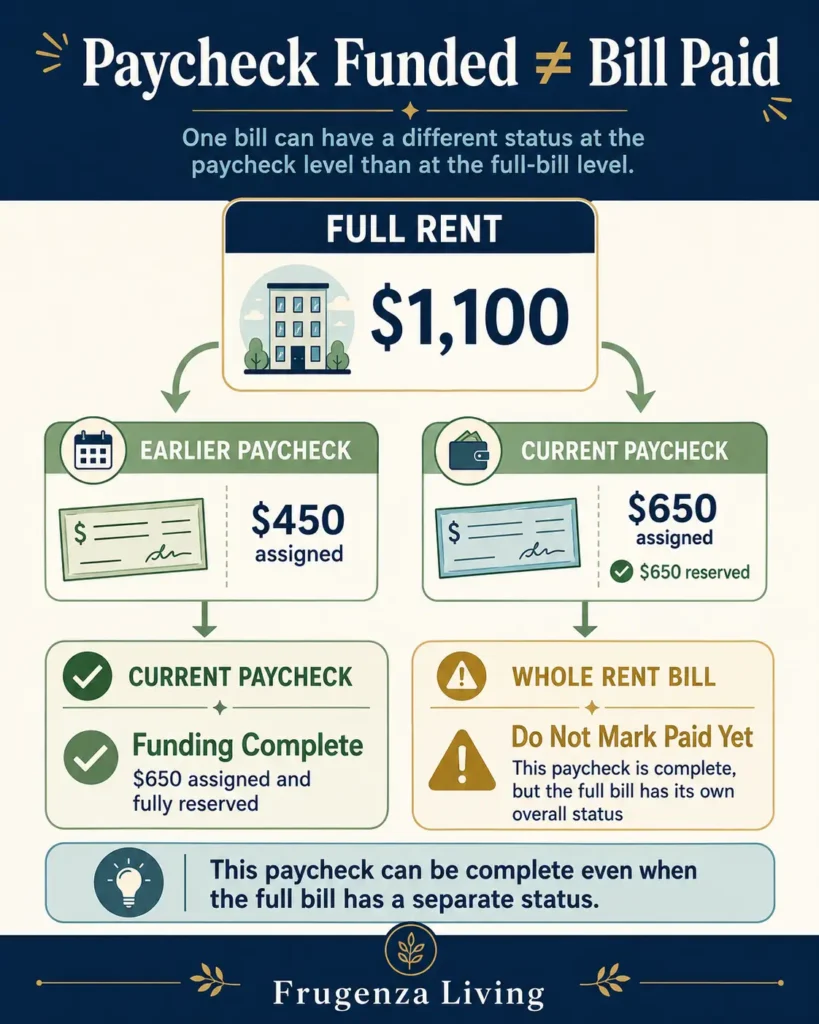
The full bill amount and the amount assigned to the current paycheck can be different.
Imagine rent is $1,100, but an earlier paycheck was assigned $450. The current paycheck is responsible for the remaining $650.
For this tracker:
- Full rent: $1,100.
- Assigned from this paycheck: $650.
- Reserved from this paycheck: $650.
- Current-paycheck gap: $0.
The correct status is Funding Complete for This Paycheck.
Do not automatically label the entire $1,100 rent fully funded or paid. The tracker is evaluating only the responsibility of the paycheck being reviewed.
If you still need to decide how much each paycheck should contribute, first work out how to divide the bill funding between paychecks. Then return here to verify that the assigned amount was actually protected.
Example: A Paycheck That Looks Funded but Is Still $155 Short
Consider an illustrative August 28 paycheck.
Rent: full bill $1,100; assigned from this paycheck $650; reserved $650. The current-paycheck assignment is complete.
Phone: assigned $70; reserved $40. The remaining gap is $30, so the row is Partially Reserved.
Electricity: assigned $125; reserved $0. The remaining gap is $125, so the row is Not Started.
The summary becomes:
Total assigned: $845
Reserved toward assignments: $690
Still to reserve: $155
Only one of the three assignments is complete.
The paycheck may have looked organized because every bill had a line item. The tracker reveals that $155 had not actually been protected.
That is the difference between a plan that exists and a plan that has been funded.
As you track each bill by paycheck, you may notice that some due dates arrive before the next check does. Those bills usually need to be funded in advance.
Do Not Roll Funding Gaps Forward Without Recording Them
Suppose the $30 phone gap remains open when the next paycheck arrives.
Do not simply move $30 to the next payday and erase the old shortfall. That makes the tracker look cleaner while weakening the funding history.
Keep the gap visible until responsibility changes deliberately. If the next paycheck will take over the $30, update the plan so the handoff is explicit.
A tracker should expose carry-forward drift, not hide it.
This matters because several small gaps can create the appearance of a fully planned paycheck while the bill layer is still incomplete.
If a funding deadline repeatedly falls before the paycheck assigned to it, that is a timing issue to fix upstream. Use a bill calendar that maps paydays and bill timing to correct the schedule rather than forcing the tracker to compensate for it.
When Is the Paycheck Bill Plan Actually Complete?
Use a simple closeout test:
Total remaining funding gap = $0
When every bill portion assigned to the paycheck has been reserved and no entry needs review, the bill-funding layer is complete.
If every assignment has enough money but one row is over-reserved or has a deadline conflict, the correct overall status is:
Funding Complete — Review Needed
That means the money may be sufficient while the reconciliation still requires attention.
And remember:
Funding complete is not payment complete.
A rent assignment can be fully reserved even though the provider will not receive payment for several days. Once the funding stage is complete, use a monthly bill payment checklist to verify the later payment process instead of adding paid, posted, or cleared fields here.
Where This Tracker Fits in the Rest of Your Budget
This tracker is one control layer, not the entire budgeting system.
A bill calendar establishes timing. The split-bills method determines how much each paycheck should contribute when one bill needs more than one payday. A complete paycheck budget templatehandles the rest of the paycheck, including savings, debt, everyday spending, and remaining balance.
The paycheck bill tracker asks one narrower question:
Did the bill money assigned to this paycheck actually become protected money?
That narrow scope is intentional. Groceries, dining, shopping, general savings, and other everyday categories do not belong here unless they are part of a specific bill assignment.
Methodology note: This tracker is a funding-control tool, not a payment confirmation system. Use your actual paycheck assignments and funding deadlines, and verify completed payments separately with the provider or financial institution involved.
The Bottom Line
A bill listed under a paycheck is not automatically funded.
A useful paycheck bill tracker compares what one paycheck was supposed to reserve with what has actually been protected, keeps unresolved gaps visible, flags reconciliation problems, and closes the bill-funding layer only when the paycheck is genuinely ready.
Start with your next paycheck. Enter only the bills or bill portions already assigned to it, leave Actually Reserved blank when nothing has been protected yet, and let the tracker show what still needs attention.
Frequently Asked Questions
What is a paycheck bill tracker?
A paycheck bill tracker monitors bill funding for one payday. It records bill portions assigned to that paycheck, compares them with money actually reserved, and shows remaining gaps or entries that need review. It is narrower than a complete paycheck budget and does not confirm whether a provider received or cleared payment.
What should I include in a paycheck bill tracker?
Include the paycheck date, bill name, funding deadline when useful, amount assigned from that paycheck, amount actually reserved, and remaining funding gap. The full bill amount can provide context. Everyday spending, general savings goals, and unrelated budget categories should remain in your broader paycheck budget.
Is a paycheck bill tracker the same as a paycheck budget?
No. A paycheck budget allocates the full take-home amount across bills, savings, debt, everyday expenses, and other priorities. A paycheck bill tracker focuses only on bill assignments that have already been made and checks whether those assigned dollars have actually been protected.
How do I track a bill split between two paychecks?
Track only the portion assigned to the paycheck currently being reviewed. If a $1,100 bill assigns $650 to this payday, use $650 as this tracker’s assignment. The other portion belongs to the other paycheck. Determine the split first, then verify each paycheck’s reservation separately.
When should I mark a bill funded on my paycheck tracker?
Mark an assignment funding complete when the amount assigned to that paycheck has actually been reserved and the entry contains no unresolved discrepancy. That status means the paycheck has fulfilled its funding responsibility; it does not mean the bill has been paid, posted, or confirmed by the provider.

Read about Jeffi and Frugenza Living
- Proportional Bill Split Calculator for Two Incomes - October 15, 2026
- How to Split Grocery Bills With Roommates - October 14, 2026
- First Apartment Kitchen Essentials on a Budget - October 13, 2026